Archive for the ‘Site Search’ Category

What’s On the Radar for 2012: Social, Tablets, Personalization, and Video

Saturday, February 4th, 2012

What’s On the Radar for 2012: Social, Tablets, Personalization, and Video

We’ve noticed several trends percolating over the past several months, which we believe will become more mainstream in the coming year. There are lots of ways to create compelling marketing strategies around these popular trends, and you don’t want to overlook site search and navigation as an important way to connect with your customers. Each article below offers insights and tips to help you do just that.

Socialized shopping

Shoppers are turning to their social networks to get ideas for products to buy, and they’re looking to online retailers to add social information into search results. One way to capitalize on this trend is to add a search box to your Facebook page, which will allow shoppers to look for products without leaving their Facebook friends. Make Me Heal has done this, adding a search application its Facebook page, which has helped drive traffic from Facebook to its site. Also, you can add the number of Facebook “likes” (or Google “+1s”) a product has received to site search results, and allow visitors to rank results by which items have received the most.

Another great idea is to bring social media content into search results, like Artbeads.com does, adding in user-generated content like videos and blog posts into search results. A “Community” tab within search results direct shoppers to this content.

Tablets gain steam in e-commerce

One of the biggest trends in the mobile space is the growing popularity of tablets. The good news is that tablet shoppers are showing a willingness to use these devices for online shopping. According to IBM Benchmark, 2011 holiday sales from smartphones and tablets accounted for 11% of total online sales, up from just 5.5% in December 2010. Data also points to tablet shoppers converting at a similar rate as traditional e-commerce shoppers, and spending more on average per visit. The challenge for online retailers is to take tablets’ advantages and disadvantages into account when figuring out how to display search results and navigation elements.

For example, you need to configure lists of refinements so that choices are not too close together, since finger-tap navigation might mean that users select the wrong choice. You also need to make sure that the shopping experience across channels – including tablets, smartphones, PCs and print catalogs – remains consistent.

Personalizing the shopping experience

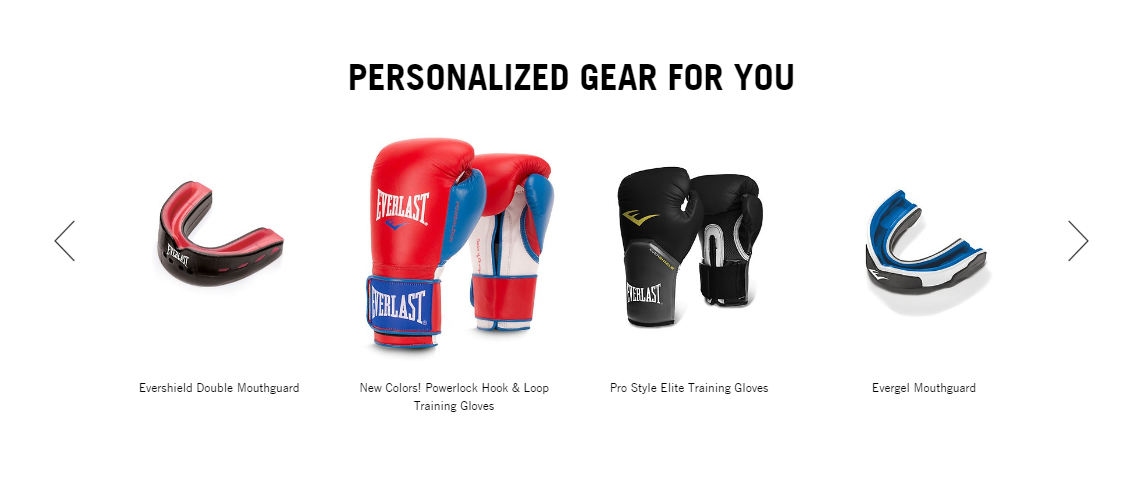
Site visitors increasingly expect a more personalized, engaging experience – and site search is a great way to do that, since you can deliver search results tailored to their needs based on what they’ve searched for before, where they’re located, and what products they prefer. Consider adding a “Recent Searches” or “Search History” list to your site search results, which will help shoppers remember names and types of products they looked for previously. You can see how this works on FTD.com’s website – in the example here, the “Recent Searches” box shows “chrysanthemums” and “yellow roses” as previous searches.

It’s also easy to add a feature like Personal Preference Memory, which stores a shopper’s product preferences and then delivers search results and navigation options based on these preferences (see how motorcycle products site Cruiser Customizing does this). Localization can also help feed shoppers’ need for personalized search results – for example, you can ask for a visitor’s zip code as soon as they land on your website, like Tractor Supply does, and deliver product availability and pricing information based on location. Multichannel retailers can also include information about the closest store for in-store pick-up.

Video brings products to life

In 2012, shoppers will continue to show greater appetite for videos, especially ones that make it easier to understand a complex product or process. Videos not only encourage purchases, but they can also boost your SEO rankings when you include videos on product pages.

Make sure to highlight the availability of your videos within site search results. For example, you can place video icons on site search results pages next to items with related video content, as you can see on the Etrailer.com website. Also, make the most of your videos by using them for merchandising. When visitors search for popular products that have an accompanying video, push these video-related results up higher; in addition, you can display banners highlighting video content when visitors search using specific keywords.

Record Cyber Monday Sales Offer Promising Start to Holiday e-Retail Season

Tuesday, December 20th, 2011

The 2011 online holiday shopping season had a strong start, with record Cyber Monday sales of $1.251 billion and a significant jump over last year. Depending on whose numbers you believe, this year’s Cyber Monday sales numbers were anywhere from 15% to 33% higher than in 2010. Department stores and home goods retailers saw the highest sales volumes; department stores had a 60% increase over last year, while home goods retailers saw a 68% increase.

Additionally, the average order rose 2.6 percent over last year to $193.24. A record number of purchases were made on mobile devices, with nearly three times as many online shoppers purchasing via smartphone — 6.6% of shoppers used a mobile device compared to just 2.3% in 2010.  Reports also showed that 7.37% of sales were made on mobile devices as compared to 2.25% in 2010.

Now a couple weeks into the holiday shopping season, the higher sales numbers continue and point to a much healthier season this year than in recent years. With the recession seemingly over, consumers are in more of a spending mood. In fact, one study says that holiday shoppers will spend a little extra this year on gifts for themselves – 36% of consumers compared to 29% last year, and they’ll spend 16% more on items for themselves.

With the proliferation of mobile devices, and consumers’ comfort with shopping from their home PCs, it seems clear that online and mobile sales will continue to capture a greater proportion of overall retail sales. And while free shipping promotions and other special offers will certainly have an impact on where people buy, e-retail sites designed with ease of use and a streamlined search and navigation experience should also fare well as consumers open their wallets.

Year in Review: The March Toward Mobile, and Focus on Usability

Tuesday, December 20th, 2011

Since our last year in review, the march toward mobile has continued to revolutionize the way we look at site search and navigation. Of course, the spread of mobile devices, and consumers’ interest in browsing websites from wherever they happen to be, drove the other big trend in site search and navigation this year: continued focus on improving usability and streamlining the online shopping experience.

Site owners are constantly on the hunt for new ways to improve searching and browsing for products and content, in a bid to move the needle on conversions. This past year, we saw sites working harder to include social media content, such as Facebook posts and tweets, in search; adding related searches and “most recently searched” lists to their sites, making it easier for visitors to find relevant content and products; and integrating the online and offline shopping experience. For instance, multi-channel retailers have been getting smart about showing “where to buy” information in search results, so that site visitors can find products in stock nearby.

Here are other stories that made news in 2011:

As Holidays Approach, Fine-Tune Navigation for Conversion Boost: September 2011

From Multichannel Merchant: How to optimize navigation before the holiday rush begins.

Motorcycle Superstore’s site search drives up its conversion rates: July 2011

From Internet Retailer: how the motorcycle retailer uncovers keyword search terms.

B2B E-commerce: Revamped online branding and cross-linked site search drives 17% of B2B revenue: July 2011

From MarketingSherpa: how U.S. Toy Company solved online branding issues by cross-linking site searches.

5 Must-Have Features For Today’s Online Retail: March 2011

From Retail Touchpoints: meeting the needs of site visitors via site search.

These articles from our own newsletter “Telescope” proved popular with readers over the past year:

5 Quick Ideas for Holiday Merchandising in Search and Navigation

Even incremental changes to site search and navigation can encourage customers to spend more time on your site, which means greater potential for conversions.

Check out these last-minute merchandising ideas.

Use Site Search Data to Capture a Nice Conversion Lift from Search Engine Traffic

Here’s how to create a tailored product banner for people who land on your product pages from search engines.

Click here for more on search data banners.

The Must-Have Online Commerce Features for 2011 – and Beyond

How to make site search even better – for instance, by bringing ratings and reviews into site search.

Read more about “must-have” features for site search.

Here’s what our blog readers found most interesting in 2011:

Different prices in different countries: Adidas All Black jersey mess up

The “scandal” over New Zealand rugby jersey pricing – and why online retailers need to closely manage international pricing.

Find out more about global pricing issues.

4 Stages of a Great Shopping Experience

Guest blogger Steve Warren from Fifth Gear explains how to impress customers during every stage of the retail transaction.

Learn more about improving the quality of the transaction experience.

Top 10 2011 MCM Awards Puts Spotlight on Great Site Search & Navigation

The top 10 retail sites with the best search and navigation, according to Multichannel Merchant.

Read more about the winners.

Out of this year’s lineup of guests for our regular Ecommerce Podcast, here are the most popular interviews from the past year:

Tim Parry

Senior writer at Multichannel Merchant

Steve Groenier

Former VP of sales and marketing at Artbeads.com

Matt Konkle

President of Fifth Gear

And finally, here are the most viewed among our “Site Search Video Tips” for the past 12 months:

Rich Auto Complete

How Rich Auto Complete improves the site search experience.

How to Get the Most from Site Search

Creating a user-friendly site search box.

Open Search

How Open Search allows your site visitors to search your site search from their browser’s search box.

Search Suggestions

The benefits of search suggestions for search, navigation, and product pages.

In 2012, we look forward to bringing you more useful tips and strategies on everything from merchandising products to weaving social media into the shopping experience. In next month’s newsletter, we’ll offer up our 2012 predictions for search and navigation trends, and how they’ll impact your business.

2012: The Year of the Tablet (and Continuation of Social)

Tuesday, December 20th, 2011

While 2011 could be called the year of mobile, 2012 will likely be the year of the tablet. As retailers begin to understand how people search, shop, and consume content on mobile devices, the soaring popularity of the iPad (one of the must-have items on people’s holiday wish lists this year), presents new challenges for retailers, as well as for those of us who provide products and services to them, in delivering a compelling shopping experience on the new “fourth screen.” This is driven not only by the number of iPads but also by the higher conversion rates of people that use iPads; iPad users buy more. Improving the experience for this growing and desirable demographic is an opportunity worth focusing on next year.

For tablets like the iPad and its Andriod Counterparts, the requirements for creating user-friendly search and navigation experiences are different than those for the mobile screen. There is more screen real estate to work with when it comes to tablets, which means a better display of product images and an easier-to-use touchscreen. On the other hand, “t-commerce” or “couch-commerce” will require a different experience than what is displayed on a personal computer or mobile screen. Site owners (and companies like ours) need to brainstorm ways to take advantage of the benefits of tablets (like brilliant displays of photos and videos), while keeping navigation streamlined.

For instance, tapping the screen is the standard method of navigation for tablets. Your fingers are relatively large and imprecise when compared to the control you have with a mouse.  For example small text menus, which you might find in lists of refinements – are hard to tap on without hitting another menu item by mistake. The same goes for buttons that are too close together, or pagination numbers: easy to click on with a mouse, tough to click on with a finger. In addition, as GetElastic reports, tablets are making it possible for website visitors to interact with content in new ways: people can “touch” content, swiping and zooming to choose how they view text and images. This tactile interaction may cause us to discover new ways to present information, new ways to display navigation, and new possibilities for innovative merchandising and SEO.

As many tablet (and mobile device) users spend lots of time on Facebook, Twitter, YouTube, and now Google +, we can expect that the merging of e-commerce and social media will gain even more prominence in the months ahead. It’s recently been reported that half of all visitors to ecommerce sites are logged on to Facebook.  As we’ve discussed before in this blog (or the SLI Blog), site owners have realized that if people are spending more and more time with their friends on social networks, the website search and shopping experience needs to come to the social setting. It’s a constantly evolving situation and the best practices for optimizing social media and retailing are still being tuned. In 2012 we’ll see more retailers experimenting with social media and further refining these best practices.

5 Quick Ideas for Holiday Merchandising in Search and Navigation

Monday, November 14th, 2011

The process of prepping your online storefront for holiday shoppers begins earlier every year – but there’s still time for last-minute “quick hits” that can help boost conversions and encourage shoppers to browse (and shop) longer on your site. Along with FitForCommerce, we’re presenting several of these quick-hit ideas in a free webinar on Wednesday, November 16 – read on for a sneak peek:

#1: Optimize holiday search terms: Review your shoppers’ most popular search terms from last year, and make sure you’ve matched these terms to the best products. Also, optimize searches that include general holiday-related keywords (like “gift” or “dad present”) to make sure results are relevant.

#2: Use site search as “your ears to the floor”: Site search gives you a real-time picture of what your customers want from your site. Review site search keywords and adjust landing pages and home pages as needed.

#3: Merchandise search and landing pages: Don’t miss out on opportunities to highlight products and special offers when visitors come to search results or landing pages. Create a gift finder that can help shoppers find gifts based on recipient and price, or add a special holiday product category that’s powered by search.

#4: Add holiday messages to navigation and search: Allow shoppers to reorder search results based on holiday-related categories like “top holiday picks” or “best-selling gifts.” Also, promote special holiday deals using banners or other messages within search – such as deals on shipping or free gift-wrapping.

#5: Incorporate mobile and social into the holiday shopping experience: More and more shoppers expect to do some of their holiday gift-buying from their mobile devices, and they want to research products via their social networks. Add social content into search results, and make mobile search and navigation as user-friendly as possible.

Looking for more ideas as you ramp up for holiday shoppers? Register for the November 16 webinar.

Help interrupted users return to their previous session with Search History

Thursday, October 6th, 2011

In an ideal world visitors will come to your website, find what they want and make a purchase. In the real world only a small portion of users will follow this pattern. Many will get interrupted, distracted, or need more time to make a decision for whatever reason. The search history feature is a simple way to allow users to return to their previous session – and the items they were interested in.

An online storefront needs to make it easier for visitors to get directly to the products or information they want in order to improve the chances they’ll make a purchase and increase their engagement with your brand. Enhancing your site search facilitates this no-hassle experience, and there are many ways to do this – for instance, using Rich Auto Complete, offering related search suggestions, and adding refinements. Displaying a search history is another way to improve your site’s usability and drive sales.

As visitors are searching, you can record their queries and make it easy for them to perform these searches again when they come back to the site without having to re-enter keywords, or even remember what they searched for. Displaying the search history in a clearly labeled “Recent Searches” box can serve as a reminder of their previous session and give customers access to the items they’re interested in with just a click or two. You can add the search history list to your search results pages, as well as product pages and your home page, so that visitors can access this list from anywhere on your site.

Here’s how the search history works one of our customers, FTD.com. If a shopper searches for “yellow roses,” then “chrysanthemums,” these search terms will appear in the Search History list at the top of the search refinement bar at left, even after they leave the site and then come back:

FTD


A nice feature to offer with search history is the option to “clear list,” as you can see in the FTD.com example above. Similarly, you can also allow visitors to select which terms to delete. Visitors may decide the list is out of date and they may want to delete it; or, if it’s a shared computer, they may not want someone in the same household to know what they’re buying for a birthday gift.

Like FTD.com, the website for True Religion jeans places the search history at top left, just above the list of refinement options:

True Religion

Search history is yet another tool for making your site a little easier to use and a little easier to buy from. If you’d like to add search history to your site, we can help – contact your SLI customer success manager.

Got Questions about Navigation? Download Our “Big Book of Navigation Tips”!

Tuesday, August 30th, 2011

When you’re trying to find something on a poorly designed or overly cluttered website, it can feel like you’re in one of those computer games where you’re trapped in a dark hallway and don’t know which room to choose. Will clicking on a given tab help get you where you want to go, or will you end up in a website “black hole”? Will navigation refinements help you locate the item you need – or will you remain adrift in a sea of products?

When done right, navigation can have a huge impact on your online conversion rate and brand reputation. Likewise, poor navigation can destroy your brand’s credibility and make it hard to attract loyal customers.

While navigation is more an art than a science, there are guidelines you can follow that will create a positive shopping experience for your customers. Based upon our years of providing expert advice and tips in this area, we were able to compile a bunch of best practices. Our initial “Big Book” on site search tips, the “Big Book of Site Search Tips” was so well received that we decided to create a new downloadable “Big Book” around the topic of site navigation called the “Big Book of Navigation Tips” –to help ensure that your visitors don’t get lost trying to navigate through your site. The 50-plus tips – on everything from navigation design to integrating reviews to mobile navigation – can help you shorten the time it takes for visitors to enter your site, find just what they’re looking for and make a purchase.

Many of the tips in the new “Big Book” are easy to put into place and won’t require wholesale changes to your site navigation. For instance, you can eliminate refinement options that visitors don’t use very often, which will help streamline the user experience. You can figure out which options are not proving popular by checking your navigation reports.

Another great tip: Make sure your navigation pages help your SEO efforts by using short URLs that include useful keywords. Also if your navigation links are produced by JavaScript then you should have a non-script version so the search engines can find and follow them.

There’s also a whole section on mobile navigation, which is extremely useful given the rapid growth rate mobile shopping has seen in recent months and will likely continue to see in the months to come. If you have any uncertainty about how to construct the navigation of your mobile site, this book can offer the guidance you need.

The more you do to improve site navigation, the less likely it is that visitors will abandon your site – in fact, with streamlined, easy-to-follow navigation, they’ll stick around longer and likely spend more money. Download the “Big Book of Navigation Tips” today, and let us know what you think – you can send feedback to newsletter@sli-systems.com.

Use Site Search Data to Capture a Nice Conversion Lift from Search Engine Traffic

Thursday, July 7th, 2011

This month, we have a tip on boosting conversions from people who land on your product pages from searches via Google and other Internet search engines. The tip is to show a tailored product banner to these visitors.

You have little control over how Internet search engines will rank your product pages so by showing (on the product page they land on from Google, Yahoo or Bing) your own list of products based on the search term used on Google, Yahoo or Bing you can make sure visitors find what they are actually looking for.

To do this we create a product banner using site search results for the search term they used on the Internet search engine (extracted from the referral URL).

A product that is ranking well in Internet search engines may have gone out of stock, out of fashion, or may simply not be your best seller. This technique allows you to put popular, in-stock items in front of the user that are relevant to what they’re looking for.

Our customer Motorcycle Superstore, an online retailer of motorcycle gear and accessories, is using this technique on its product pages. In the example below, the user searched on Google for “scorpion exo,” and clicked on the “Scorpion EXO-1000 Helmet” from Motorcycle Superstore.


When the user clicked, the relevant product page was shown and a banner dynamically added showing the site search results for Scorpion EXO helmets. Thus the user sees a range of products that may interest them, as well as the actual product that they clicked on.


Soon after creating these dynamic banners with SLI’s assistance and search data, Motorcycle Superstore experienced higher sales revenue: the retailer is seeing an average conversion lift of 2–5% for the items featured in the banner. In addition, the site search results banners are consistently in the top four most-clicked merchandising methods on the site.

We love seeing this type of innovation from our customers. We worked closely with Motorcycle Superstore to optimize these pages and were able to launch this feature in just a week. If you’d like to try this on your product pages, please contact your customer success manager. We would love to help you.

Related search suggestions help visitors home in on products and content

Wednesday, May 25th, 2011

Your website visitors have high expectations of quickly finding the products or content they need. However, visitors often struggle to figure out exactly what terms they should use in the search box. Auto Complete, which we’ve talked about in the past, shows suggestions as you type into the search box. Another way to help visitors is to use related searches, which are search suggestions that are shown on the search results page. Related searches can help people find just the right search term, helping remove ambiguity in the query and adding a little serendipity.

For instance, on our customer’s site, Century Novelty, a visitor might search for “graduation favors.” That’s a big category, so the search results for this term would include several related search suggestions designed to narrow the search, or lead the visitor in a slightly different direction:

Related search suggestions encourage site visitors to browse products or content that they might not know about, which can lead to higher-value orders and greater customer satisfaction with your site. Our own research with customers using our Related Searches shows that about 25% of people that search will click on a related search suggestion. That tells us that people find these suggestions useful.

The data for related search suggestions comes directly from your site visitors’ own search behavior – the correlation between search terms entered by visitors, and the products or content they ultimately view. We suggest displaying related search suggestions at both the top and bottom of the search results page. By displaying them at the top, they can help visitors immediately after they’ve entered a query. At the bottom, they provide helpful alternatives if the user has scrolled through the page of results and not found what they want. You can see this placement example on the Century Novelty site by clicking here.

Related searches can also be shown with each search result. You can see an example of this at Green Mountain Coffee:

These same search suggestions can be shown on the product page itself, and used as a navigational aid to find related content. Here is an example from NRS, shown at the bottom of the product page for a dog life jacket.

Related search suggestions are also helpful on mobile commerce sites. Since space is at a premium on the mobile screen and network speeds can vary, you don’t want to force mobile users to scroll down a long list of results or click through on products or content that don’t match their needs. A prominent list of related search suggestions within mobile search results will shrink the time it takes for a mobile user to browse and buy.

SLI’s own patented Related Search is easy to add to your existing SLI search implementation. Contact your Customer Success Manager to find out more about adding value to site search with related suggestions.

When Implementing ‘Searchandising’ Best Practices, Test, Test and Test Again

Tuesday, April 26th, 2011

At SLI, we spend a lot of time talking with our clients about ways they can improve performance of their site search and navigation, and options to consider for merchandising results pages. We’ve also discussed many best practices approaches in this newsletter – everything from refinement options, display options (e.g. ‘grid view vs. list view’), and advanced features like Rich Auto Complete and Mouse-over Pop-ups.

With so many features and options to consider, how do you know what you should implement, and if they’ll truly make a difference in the experience you deliver to your customers? The answer is pretty simple. You need to TEST.

If that sounds frightening, it shouldn’t. There are a few tools out there you can use (including our own Conversion Optimizer) which make A/B and multivariate testing of site search, navigation, promotions and page layouts pretty painless. But rather than focus on HOW to test (if you are an SLI customer and want guidance here please talk to your Customer Success Manager), we’re going to discuss WHAT to test. The options are wide-ranging, and there are many factors you should consider.

First off, how should you present search results on your page? Do you display items in a grid view or a list view? Should you offer your customers the option of choosing what view they like? There are guidelines you can follow – for example, if you have a lot of products that match particular keywords, a grid view allows more items to be shown above the fold. It also allows for less product detail to be included, avoiding clutter. The only way to tell what method will work best with your customers is to perform some tests.

Another option to test might be how best to display color options in search results. Should you take Jelly Belly’s approach, and offer a clickable color swatch along the left side of the page, or should you provide color options underneath each item in the search results, like Dover Saddlery does? There are many good ways to display color options and many factors to consider and test in implementing the solution that works best for you – like what products you sell, how many of them offer different color options and how they display.

How about video, and user ratings and reviews? These are popular features on e-commerce sites, and we’ve made recommendations to include this content in search results. How you include them and even IF you should include them are questions best answered by doing some tests.

Is your search box placement motivating enough of your users to use it? Research shows that people who search are 2-3 times more likely to convert, so would you see even more conversions if more of your visitors used your search box, and would a different placement, or enhancements to the search box itself, drive more usage?

Let’s take banners. We often recommend that retailers use banners on ‘no results’ pages to drive people towards popular items. Banners are also good ways to promote special offers you’re making, like discounts on shipping, brands on sale or other promotions. Where you show the banners, how big you make them and what content you include are all variables you should test.

There are many more things you can test, such as what refinement options you offer and how you present them (e.g. pull-down menu vs. clickable links), what size images you should include in search results, and whether you should add a “click to buy” button right on each search result. If you have any questions about what to test or how to conduct your tests, our team of experts is here to help – just contact us at sales@sli-systems.com.